FREE! Click here to Join FunTrivia. Thousands of games, quizzes, and lots more!
Quiz about Thats One Smart Cookie

That's One Smart Cookie Trivia Quiz


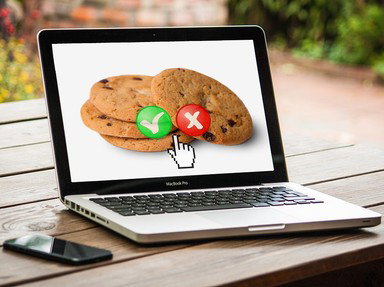
If you're feeling hungry... sorry, wrong quiz. This is about internet cookies: what they are, what they do, and how they can be exploited by hackers and advertisers. Enjoy!

A multiple-choice quiz by JJHorner. Estimated time: 3 mins.
  1. Home
  2. »
  3. Quizzes
  4. »
  5. Science Trivia
  6. »
  7. Computers
  8. »
  9. The Internet

Author
JJHorner
Time
3 mins
Type
Multiple Choice
Quiz #
423,836
Updated
Apr 28 26
# Qns
10
Difficulty
Easy
Avg Score
9 / 10
Plays
58
Last 3 plays: Guest 146 (10/10), Guest 216 (9/10), Guest 99 (7/10).
- -
Question 1 of 10
1. Well, let's start at the beginning. What exactly IS a web cookie? Hint


Question 2 of 10
2. What is the main purpose of an internet cookie when you visit a website? Hint


Question 3 of 10
3. In web browsing, where are your cookies primarily stored? Hint


Question 4 of 10
4. Which company first implemented internet cookies in its widely used web browser? Hint


Question 5 of 10
5. Which concern brought web cookies to public attention in the late 1990s? Hint


Question 6 of 10
6. Which type of cookie is commonly used to track users across different websites for advertising? Hint


Question 7 of 10
7. Which of the following sets a session cookie apart from a persistent cookie? Hint


Question 8 of 10
8. What can happen if sensitive information is stored improperly in cookies? Hint


Question 9 of 10
9. What security issue can occur if a cookie storing session data is intercepted by an attacker? Hint


Question 10 of 10
10. Which major 2018 law requires websites to obtain your consent before storing certain cookies in the European Union? Hint


(Optional) Create a Free FunTrivia ID to save the points you are about to earn:

arrow Select a User ID:
arrow Choose a Password:
arrow Your Email:


Most Recent Scores
Today : Guest 146: 10/10
Today : Guest 216: 9/10
Today : Guest 99: 7/10
Today : Guest 208: 7/10
Today : Steelflower75: 8/10
Today : Guest 86: 5/10
Today : Dalmatian3: 9/10
Today : Guest 173: 6/10
Today : Guest 97: 7/10

Quiz Answer Key and Fun Facts
1. Well, let's start at the beginning. What exactly IS a web cookie?

Answer: Small piece of data

A cookie is a small bit of data stored in a file that a website saves on your device through your browser. It usually contains crumbs of information like session IDs, user preferences, or tracking data that help websites remember who you are between visits.

Without cookies, your life just wouldn't be the same. You would have to log in again every time you clicked a new page, which would get old very fast. They are not programs or applications. They just kinda sit there holding important information until the website asks for it again.

Cookies come in different flavors, and not all of them are equally beloved. Some are essential, like the ones that keep your shopping cart intact. As we'll see, others are more... controversial.
2. What is the main purpose of an internet cookie when you visit a website?

Answer: To store information about your preferences

At its core-in its soft, chewy interior-a cookie is just a tiny memory aid. It lets a website remember things about you, like your login status, language choice, or what you tossed into your shopping cart five minutes ago and promptly forgot about.

Without cookies, every page load would feel like going to the site for the first time again. You'll probably have to click on all squares that have a traffic light, and that's the worst part of my day.

If you can remember that cookies are just Post-it notes to remind websites about who you are, you'll go far. Maybe you'll even take the cake.
3. In web browsing, where are your cookies primarily stored?

Answer: On your device

Cookies live on your device, usually tucked away in a subdirectory inside your web browser's storage. If you're using Windows, it's usually buried deep inside the c:\users directory.

When a website sends a cookie, your browser holds onto it and then hands it back with little fuss when future requests come from the same site. That is how the site remembers who you are, whether you are logged in, and what questionable late-night shopping decisions you made after that third glass of wine. You know, that thing you thought would make a great conversation starter?
4. Which company first implemented internet cookies in its widely used web browser?

Answer: Netscape

Netscape introduced the world to internet cookies in its Netscape Navigator browser in 1994. The idea came from a Mr. Lou Montulli, a programmer with a problem... besides the obvious sweet tooth: how do you get a website to remember anything about a user when the web itself forgets everything between page loads?

The answer? Cookies! Cookies are ALWAYS the answer. It was a simple way to maintain state in an otherwise stateless system, as we say in the biz.

The concept quickly grew into something much bigger. Cookies became a cornerstone of how the modern web works, enabling logins, personalization, and, oh yeah, a fair bit of nefarious user-tracking.
5. Which concern brought web cookies to public attention in the late 1990s?

Answer: They could track your browsing activity without clear consent

In the late 1990s, people began realizing that those web cookies were not just being used to remember user preferences. Unlike the sweet kind, they could also be used to track browsing behavior across websites, often without users having any clue it was even happening. That discovery got everyone talking about online privacy. These days, targeted ads are the norm, and most people just click 'Accept All' when provided with the tedious option of deciding which cookies to accept.

At the time, the idea that a website could quietly follow your digital footsteps felt a little freaky. Governments and advocacy groups started pushing for clearer disclosure and user control, which eventually led to the cookie settings banners that now greet you everywhere. You'll still probably accept all cookies, but at least you're given the option.
6. Which type of cookie is commonly used to track users across different websites for advertising?

Answer: Third-party cookies

Like oatmeal raisin cookies, third-party cookies are the ones that give all cookies a bad name. And, like oatmeal raisin cookies, these little guys have angered a lot of people over the years. They are set by domains other than the one you're actually visiting. That means an advertising network can follow you from site to site, happily building a profile of your interests. You might look up hiking boots on Monday, and by Wednesday, the entire internet thinks you're planning to summit Everest.

Other cookies are much more straightforward. Session cookies, for example, just help a site function while you are actively using it, then disappear when you close your browser. Secure cookies focus on protecting data during transmission. It's the third-party cookies that are following you around and taking notes.
7. Which of the following sets a session cookie apart from a persistent cookie?

Answer: It is deleted when the browser is closed

The best houseguest is the one on his way out. That's a session cookie in the world of the web. They show up when you open a browser, help websites remember things like your login status or shopping cart, and then disappear the moment you close the browser. No long-term commitment, no long conversations at the front door before leaving.

A persistent cookie is the houseguest that won't leave. In fact, you might as well get the guest room ready. They'll be sticking around for a while.

However, unlike the houseguest, they're actually useful. They're saved to your device with an expiration date and can remember your preferences, login info, or that one time you looked at banana-duck plush dolls at 2 a.m. (That's a real thing you can buy online, by the way.) They make the internet more convenient... at the small price of maybe losing some privacy in the case of third-party cookies.

Session cookies are generally considered safer because they vanish quickly, but if intercepted during use, they can still allow for session hijacking. Persistent cookies, while useful, can be used for tracking behavior across visits.
8. What can happen if sensitive information is stored improperly in cookies?

Answer: Unauthorized access to your data

Yeah. When sensitive information is not stored properly in a cookie, it can become accessible to attackers. I'm talking about cases where the data isn't encrypted or the cookie isn't properly secured. Things like session IDs, login tokens, or even personal details can be exposed through methods like cross-site scripting attacks or network interception. That's precisely why modern best practices discourage storing anything truly sensitive in cookies unless it is carefully protected.

Developers have gotten a lot more cautious over time, adding flags like 'HttpOnly' and 'Secure' to reduce risks. Even so, cookies were never meant to be bank vaults.
9. What security issue can occur if a cookie storing session data is intercepted by an attacker?

Answer: Session hijacking

Session hijacking is exactly what it sounds like, and it is about as pleasant as it sounds too. If an attacker manages to intercept a session cookie, they can use it to impersonate you without ever needing a password. To the website, it looks like the same session is continuing with you at the wheel. Meanwhile, someone else is effectively sitting in your chair, clicking around pretending to be you.

This is why secure transmission matters so much. Modern websites, including FunTrivia, use HTTPS to encrypt data in transit. This makes it much harder for anyone to eavesdrop and grab those precious cookies in the first place.

Add in safeguards like short session lifetimes and extra authentication checks, and the chance of this kind of attack gets a lot smaller. Programmers are constantly working to keep you safe from hackers (you're welcome).
10. Which major 2018 law requires websites to obtain your consent before storing certain cookies in the European Union?

Answer: General Data Protection Regulation

The General Data Protection Regulation (GDPR) came into force in 2018 and reshaped how websites handle personal data in the European Union. It requires clear consent before storing or accessing certain types of cookies. That includes those used for tracking or advertising. That is why you now see all those tiresome cookie banners asking you to accept or manage your cookie preferences. (My favorite cookie is never on the list.)

GDPR built on earlier privacy rules, tightening them up and adding real consequences for companies that ignore user consent. Fines can get hefty. It definitely got the industry's attention. As I've mentioned before, most people will just click on 'Accept All Cookies' rather than go through the mess of the options pop-up. If you find something that lets you accept only 'essential' cookies, that's usually your best bet if you don't want the site remembering your information.
Source: Author JJHorner

This quiz was reviewed by FunTrivia editor rossian before going online.
Any errors found in FunTrivia content are routinely corrected through our feedback system.
4/28/2026, Copyright 2026 FunTrivia, Inc. - Report an Error / Contact Us